

AI Agent vs. Virtual Assistant: What Should You Automate and What Still Needs a Human?

Some tasks drain your team’s time. Others put customer trust at risk when handled poorly. Knowing which is which is the first step toward smarter delegation.
While your team schedules meetings, updates records, and answers routine questions, urgent customer issues wait. But automating without clear boundaries can create more work through errors, missed context, and repeated corrections.
The AI agent vs. virtual assistant decision starts with the task: does it need repeatable execution, human judgment, or both? Here, “virtual assistant” means a human remote professional.
Today, we’ll explore what to automate, where human judgment matters, and how to combine both approaches to free up time without losing control.
Key Takeaways
- Automate clear, repeatable tasks when results are easy to check and mistakes are recoverable.
- Keep humans responsible for sensitive decisions, customer relationships, and unexpected situations.
- Combine AI and human support so routine work moves faster and exceptions get the attention they need.
AI Agent vs. Virtual Assistant: What’s the Difference?
An AI agent and a human virtual assistant can both reduce your workload, but they handle delegated tasks differently.
An AI agent is software that uses AI and connected tools to work toward a goal within permissions you set. For example, it might categorize a customer inquiry, find relevant account details, and draft a response. Its reliability depends on the task, available information, and safeguards.
A human virtual assistant is a remote professional who handles delegated work using their skills, context, and judgment. They can clarify an unclear request, coordinate with colleagues, and adapt when a situation falls outside the usual process.
| Decision factor | AI agent | Human virtual assistant |
| Best fit | Repeatable digital work with measurable results | Tasks requiring context, coordination and judgement |
| Handling expectations | Need clear limits and escalation rules | Can investigate, ask questions and adapt |
| Quality control | Testing, monitoring, and output review | Training, feedback and work review |
| Cost control | Setup, usage, integrations and maintenance | Hours, experience, onboarding and management |
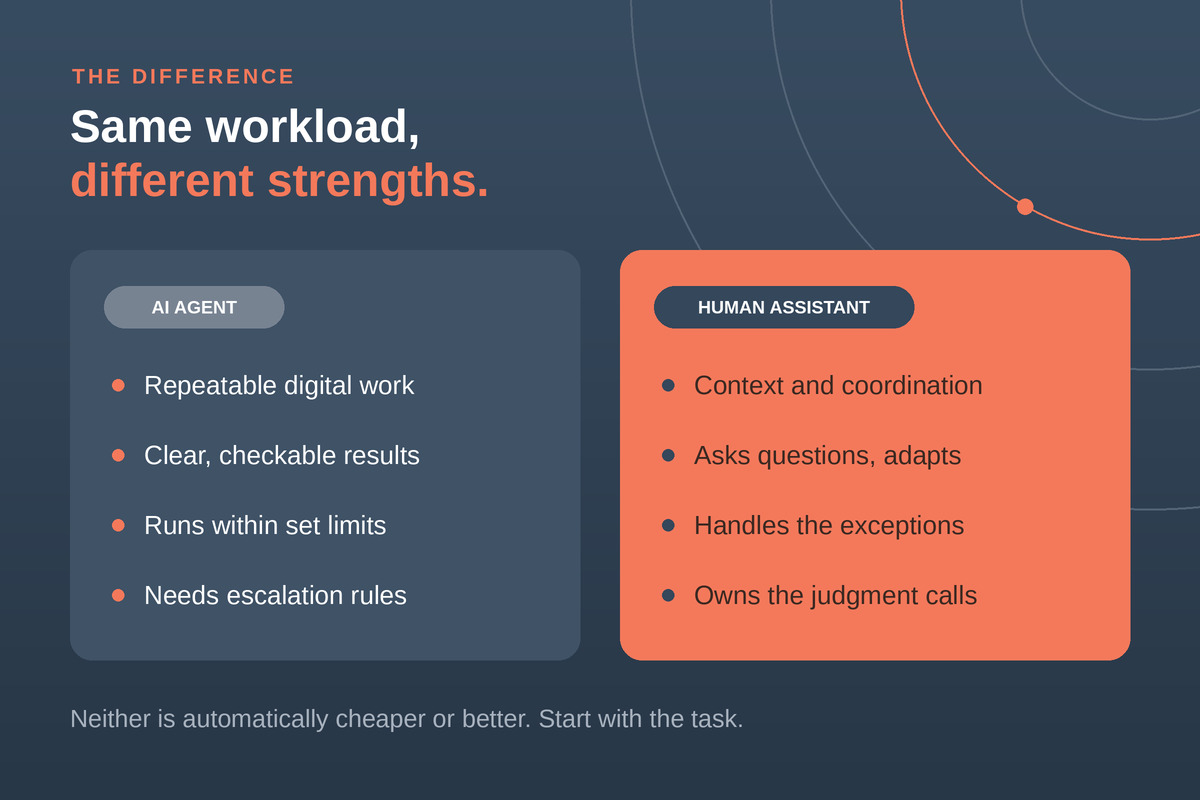
Neither is automatically cheaper or better. Compare the full cost of completing the work accurately, including supervision and corrections. Also, predictable tasks may only need simple automation. Anthropic’s guide to building effective agents recommends starting with the simplest approach that works.
Choose based on the task’s demands, then decide how much independence to give.
What Should You Automate? Start With These Tasks
Start with tasks that consume time every week and follow a clear process. The strongest candidates have three things in common:
- Clear inputs: The system receives the information it needs in a consistent format.
- A checkable result: Someone can quickly confirm whether the work is correct.
- Recoverable mistakes: An error can be corrected before it causes significant harm.
These conditions make the following tasks useful starting points:
- CRM maintenance: Update approved fields from structured forms. Flag conflicting records for review instead of overwriting them.
- Meeting administration: Prepare agendas and summarize notes. Send commitments involving budgets, deadlines, or customers to a person for confirmation.
- Support triage: Categorize incoming requests and draft replies using an approved knowledge base. Escalate complaints and unfamiliar issues.
- Routine reporting: Collect data and prepare draft summaries. Have someone validate the figures and conclusions before sharing.
- Document processing: Extract standard fields from invoices or forms. Route missing, unclear, or inconsistent information to a person.
You may not need an AI agent for every task. If the process follows fixed rules, conventional automation may be enough. Copying a form submission into a database, for example, rarely requires flexible reasoning.
An AI agent becomes useful when the work involves interpreting varied information or choosing among several steps, provided its actions stay within clear limits. Begin with one frequent, bounded task whose results are easy to verify. Measure the time saved alongside errors and review effort before expanding.
What Still Needs a Human?
Human attention matters most when a task involves trust, uncertainty, or consequences that are difficult to reverse. Keep people responsible for these four areas:
- Relationships: An upset customer may need more than an accurate answer. A human can listen, negotiate expectations, and decide how to repair the relationship.
- Ambiguity: Conflicting instructions and incomplete information require clarification. A human can question assumptions and decide which priorities should guide the work.
- Consequences: Significant spending, contractual commitments, and sensitive disclosures need approval from someone with the right authority.
- Accountability: Someone must own the outcome, address failures, and decide when the process itself needs to change.
This does not mean a person must perform every step. AI can gather account details, summarize a complaint, and draft a response. A virtual assistant can check the context and resolve routine issues, while a manager approves commitments beyond the assistant’s authority.
A task can be technically automatable and still need human approval. The NIST AI Risk Management Framework provides guidance for managing AI risks, including defining human roles and responsibilities.
Make those responsibilities practical: specify who reviews the work, what requires approval, and when the system must stop and escalate. Clear ownership helps your team gain efficiency while keeping consequential decisions in accountable hands.
A Four-Question Test for Choosing Who Does the Work
Before assigning a task to an AI agent or virtual assistant, answer four questions. Your answers help determine who should execute the work and where approval belongs.
- Is the process clear? Can you describe the inputs, steps, and acceptable output? If instructions are unclear, improve the process before automating it.
- Can you check success? Is there a reliable way to spot an incorrect result? Define what “done correctly” looks like.
- Can you undo a mistake? Would an error be inexpensive and straightforward to correct? Actions that are difficult to reverse need tighter controls.
- Does it require human judgment? Does success depend on trust, negotiation, sensitive context, or accountability? Keep a person responsible for those decisions.
Use your answers to choose a route:
- Automate: The process is clear, results are verifiable, errors are recoverable, and judgment demands are low.
- Use AI with human review: AI can prepare the work, but an important action needs approval.
- Delegate to a human: Ambiguity, relationships, or consequential judgment shape the outcome.
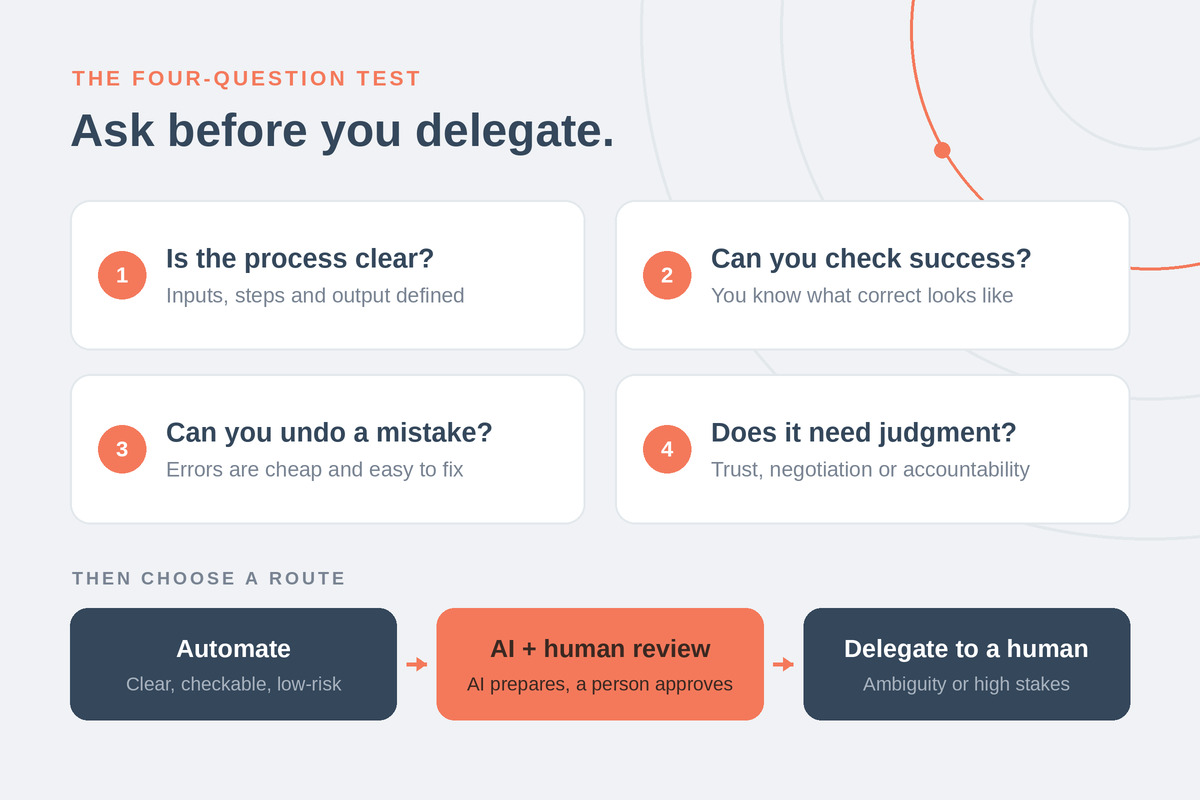
For example, AI can categorize a refund request, retrieve purchase details, and gather the relevant policy. A human reviews an unusual or high-value case before authorizing payment.
The same workflow can use all three routes. Assign responsibility at each step, then define exactly when AI must pause, request approval, or hand the task to a person with appropriate authority.

How AI Agents and Virtual Assistants Work Together
A customer inquiry shows how AI and human support can share the work. Each handles specific steps, with clear limits on what they can decide.
- AI organizes the request. It categorizes the inquiry and retrieves relevant account information and approved guidance.
- AI prepares a draft. It suggests a response within your rules and flags missing information.
- A virtual assistant reviews the context. They check accuracy, adjust the tone, and handle exceptions that require clarification.
- The business owner approves larger commitments. Requests outside delegated authority, such as a substantial refund or special contract terms, move to the owner.
This reduces repetitive preparation and gives people more time for customers who need attention. It also makes escalation part of the process.
Pilot one workflow before expanding. Track time saved, error rates, review effort, and customer outcomes. If checking and correcting AI output takes longer than completing the task manually, refine the process before adding more automation or increasing its permissions.
Choose Your First Workflow
List five tasks your team repeats every week. Apply the four-question test, then choose one bounded pilot with clear inputs, measurable results, and an owner. Review the results before expanding.
Unsure where to start? Book a workflow assessment to identify what you can automate, what to delegate, and where human approval belongs. You’ll leave with a task map and a recommended first pilot, giving your team a clear starting point.
Frequently Asked Questions
Can an AI agent replace a human virtual assistant?
An AI agent can take over specific tasks, such as updating records or categorizing inquiries. Whether it can replace an entire role depends on how much the work involves exceptions, relationships, and human judgment. Roles requiring sensitive communication or frequent clarification still need human involvement.
Is an AI agent cheaper than a virtual assistant?
Neither option is always cheaper. Compare AI setup, integrations, usage, monitoring, and corrections with a virtual assistant’s fees, training, and management. Include the time people spend supervising either option. The useful comparison is the total cost of completing the same work accurately.
What is the safest task to automate first?
A good first task is frequent digital work with clear inputs, measurable outputs, limited permissions, and easily corrected errors. For example, automate copying approved form responses into designated CRM fields, while flagging incomplete or conflicting entries for human review.
Can a virtual assistant manage AI agents?
Yes. A trained virtual assistant can review AI outputs, resolve routine exceptions, update instructions, and escalate problems. Define which changes and decisions they can make independently and which require approval. They also need access to activity records and a way to pause the workflow.
How much human oversight does an AI agent need?
Oversight should reflect the consequences of errors, the agent’s permissions, and its demonstrated reliability. Use approval checkpoints for consequential actions and ongoing monitoring for accuracy and unexpected behavior. Increase independence only when performance supports it.